🍎 Built for macOS · Apple Silicon and Intel

Migrate IMAP email on your Mac without the terminal, nothing left behind.

ImapSync Manager is the graphical interface for imapsync on Mac: it turns IMAP mailbox migration into a visual cockpit. Paste the accounts, validate, migrate dozens at once and watch everything live. And your passwords never leave your machine.

Pay with Pix or PayPal · instant download
Nothing deleted at the source Verified SSL/TLS connection Passwords stay on your Mac Unlimited migrations
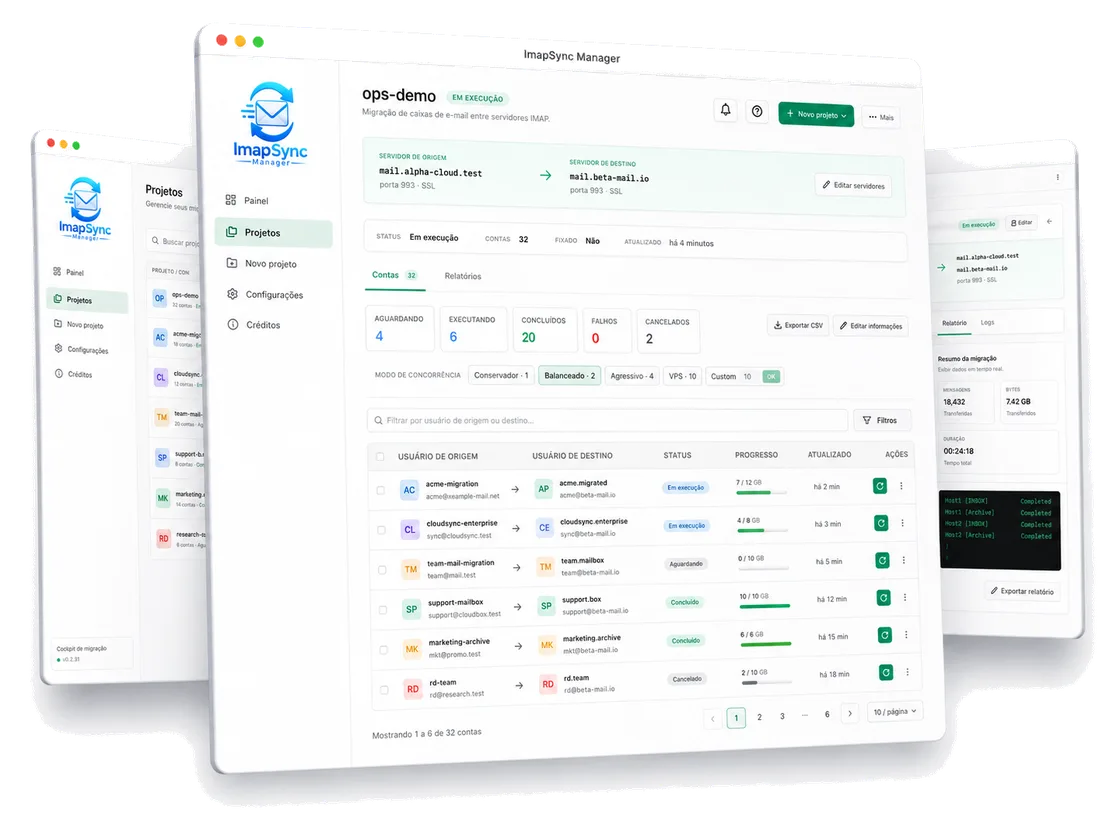
ImapSync Manager running on macOS
The problem

You already know what migrating email by hand feels like.

imapsync is powerful, but raw. Doing it manually, account by account in the terminal, is slow, risky and gives you zero visibility.

  • Memorizing dozens of flags and praying you got every parameter right.
  • Running one account at a time, waiting, repeating. Thirty accounts become a full day.
  • Did it work? Did it stall? Did a folder get skipped? You only find out later.
  • One wrong flag and you wipe the source mailbox by accident.
  • Passwords scattered in spreadsheets, wrong credentials, rework and an angry client.
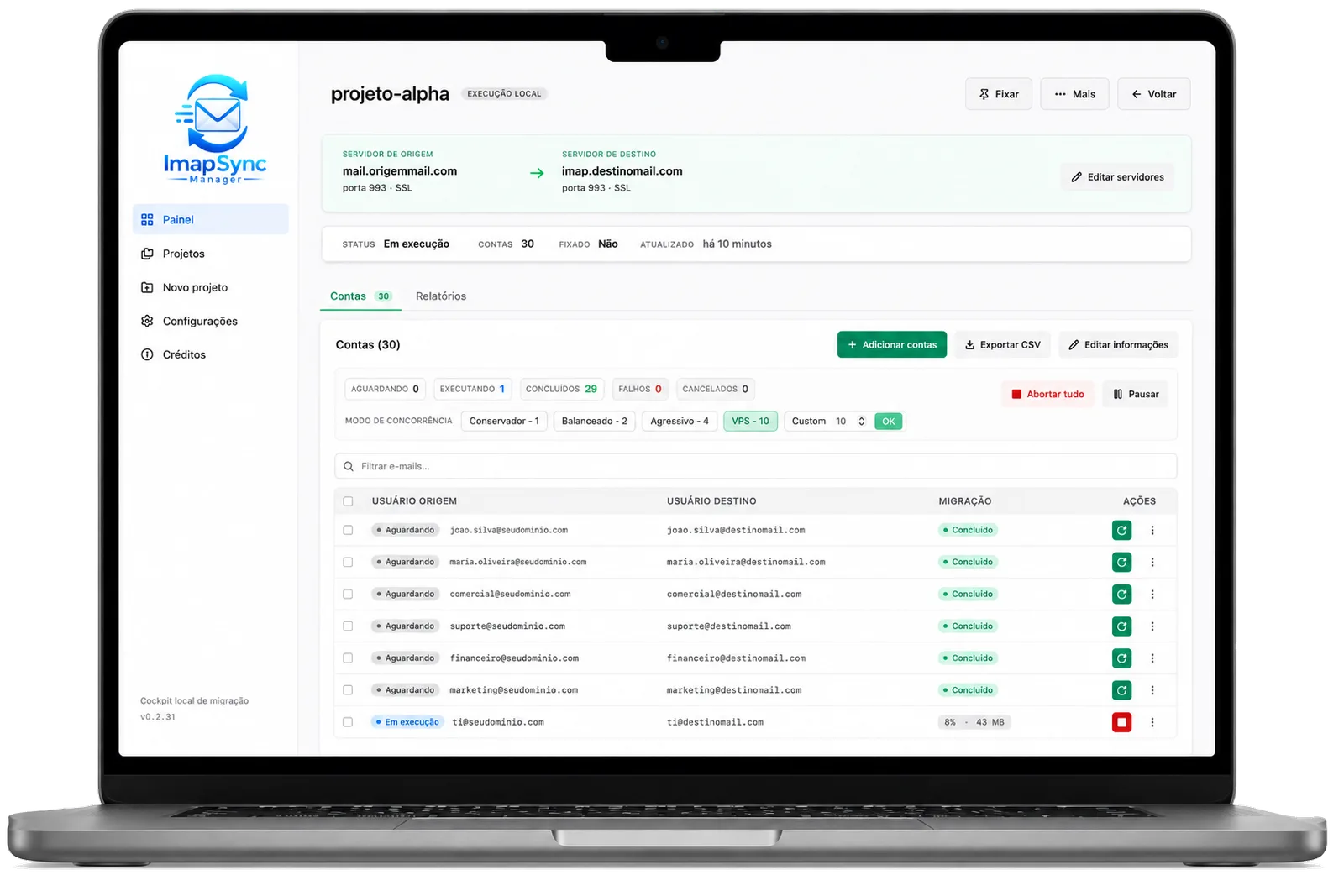
Accounts migrating with per-account progress
The solution

A visual cockpit to migrate calmly and in control.

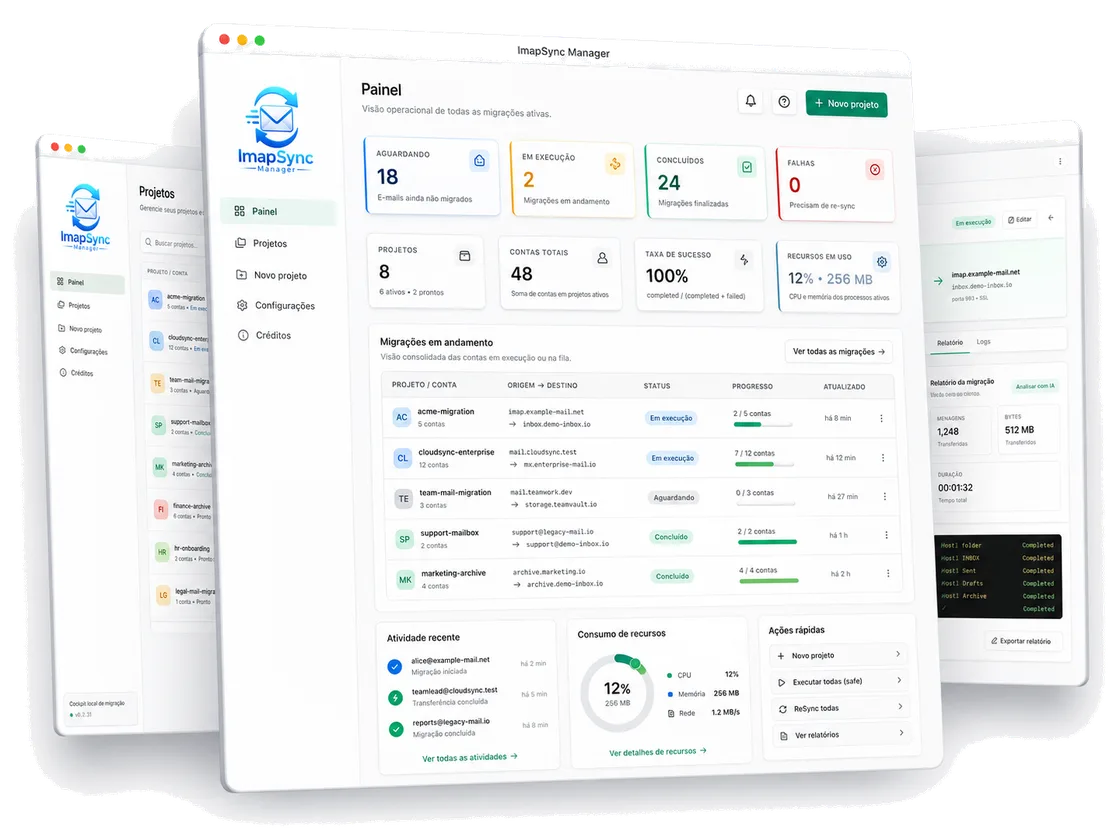
All your migrations in one panel: how many accounts are queued, running, done or failed. Per-account progress, resource usage and quick actions, without opening the terminal once.

  • See every migration in real time
  • Success rate, total accounts and resources at a glance
  • Resume, re-sync or export a report in one click
ImapSync Manager dashboard
Features

Everything the terminal never gave you.

Built for people who actually migrate email: agencies, IT teams and hosting providers.

Smart parsing

Paste your messy account list and the AI sorts out source, destination, user and password automatically. You just review.

Validation before migrating

Tests source and destination login before it starts. No more finding a wrong credential mid-migration.

Concurrency queue

Migrate dozens of accounts in parallel, 1 to 16 at once. Conservative, Balanced, Aggressive or your own setting.

Live logs

Watch every folder sync, message by message, in real time. Full transparency from start to finish.

Exportable reports

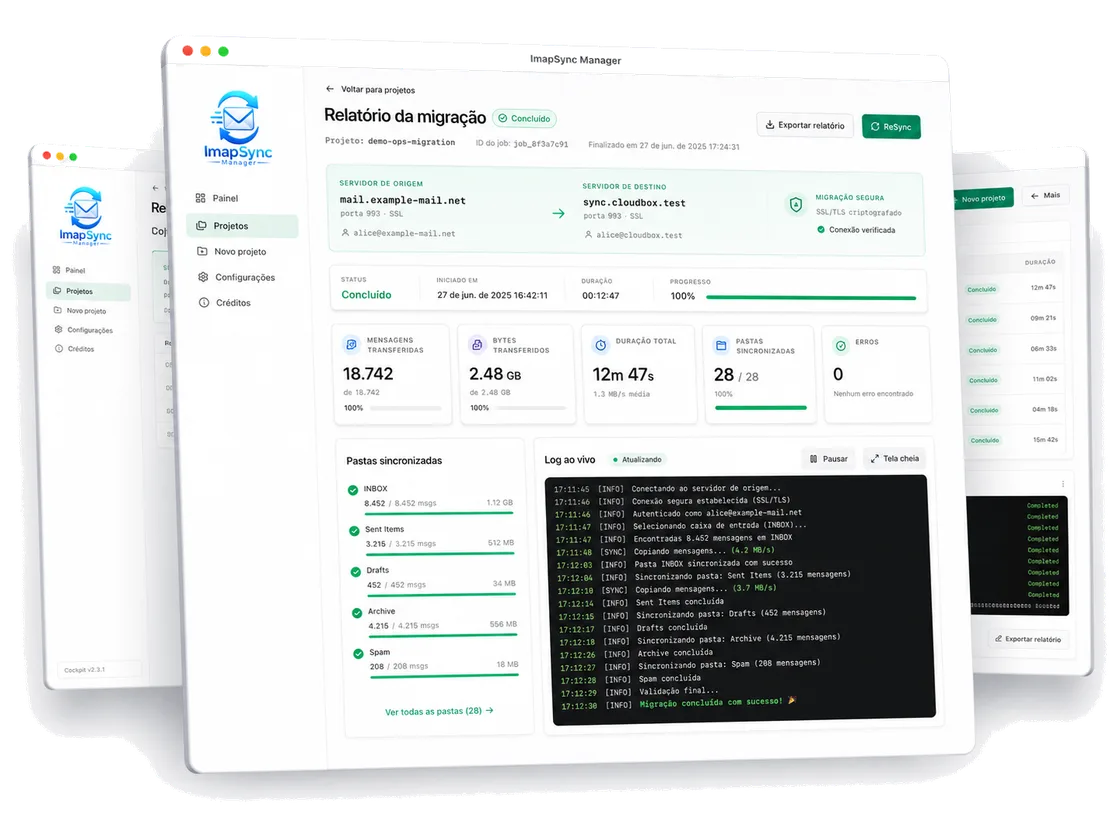
Messages transferred, bytes, duration, folders and errors per account and project. Export as CSV or HTML for your client.

Local password vault

Credentials live in an owner-only vault on your Mac. Never in the database, never sent to any AI.

imapsync in the terminal or with an interface

The same migration, without the command-line pain.

Raw imapsync, in the terminal
  • Memorize the flags and build the command by hand
  • One account at a time, no queue or parallelism
  • No validation: a wrong credential shows up mid-run
  • Zero visibility of progress while it runs
  • Passwords copied and pasted in plain text
  • A report? Only whatever scrolled past on screen
With ImapSync Manager
  • Paste the list and the AI builds the project for you
  • Dozens of accounts in parallel, with a controlled queue
  • Validates source and destination login before it starts
  • Live progress, account by account and folder by folder
  • Passwords in a local vault, always masked
  • CSV and HTML report to hand to your client
How it works

Three steps, from zero to migrated mailbox.

1

Paste your accounts

Drop the list however it is. The AI splits source, destination and credentials and builds the project for you.

2

Validate and configure

Check the servers, test the credentials and pick the queue speed. Command preview always shows the password masked.

3

Migrate and watch

Fire the queue and see it all live. At the end, a full report shows nothing was left behind.

Completed migration report with live log
Real security

Your data never leaves your Mac.

It is a local-first app. No server in the middle, no cloud of ours seeing your passwords. Everything runs on your machine.

  • Passwords in a local owner-only vault, separate from the database
  • Credentials masked in every screen, log, command and report
  • SSL/TLS connections, verified before every migration
  • Source preserved: destructive actions only with your confirmation
Compatibility

Migrate from and to any IMAP server.

If the server speaks IMAP, ImapSync Manager migrates it. It is the ideal tool to switch hosting and take all your email with you.

GmailGoogle WorkspaceOffice 365ZimbracPanelPleskTitanLocawebHostingerGoDaddyDovecotExchange
Pricing

One license covers the whole year.

Less than the cost of a single outsourced migration. And you migrate as many as you want.

ANNUAL LICENSE · macOS
$129/year
Apple Silicon and Intel · year updates included
  • Unlimited migrations and accounts
  • AI parsing, concurrency queue and live logs
  • CSV and HTML reports for your client
  • Local password vault and SSL/TLS connections
  • Updates and improvements during the term
Buy and download now
Pay with Pix or PayPal · instant download after purchase
FAQ

Frequently asked questions

Which system does it run on?

For now, macOS only (Apple Silicon and Intel). A Windows version is in development.

Do I need to install anything else?

Yes, the imapsync engine (free). The app detects whether it is installed and walks you through it (brew install imapsync) if it is missing.

Do I need to know the command line?

You do not. ImapSync Manager is the graphical interface: you do everything by clicking. imapsync runs under the hood and you never type a command.

How is it different from the original imapsync?

imapsync by Gilles Lamiral is the engine, which runs on the command line. ImapSync Manager is a Mac app that puts a graphical interface on top of it: AI parsing, a concurrency queue, validation, live logs and reports, with no terminal.

Can it migrate Gmail or Google Workspace email?

It can. Just enable IMAP access on the account and use an app password; from there it works like any other IMAP account, with source and destination in the panel.

What about Office 365 / Microsoft 365?

Also, as long as IMAP is enabled on the account. You point source and destination and the app handles the migration account by account, with a log and a report at the end.

Does it work with any provider?

With any server that speaks IMAP: traditional hosting on cPanel, Plesk, Zimbra, Titan and the like. It is the ideal tool to switch hosting and take all your email with you.

Are my passwords safe?

They are. They live in a local owner-only vault on your Mac, separate from the database. Never stored in plain text nor sent to any AI.

Does the app delete emails at the source?

No. By default nothing is deleted at the source. Any destructive action requires your explicit confirmation.

How do I pay and how many accounts can I migrate?

Payment is via Pix or PayPal on the Academy, with instant download. And you migrate as many accounts as you want, with a controlled concurrency queue.
Stop fighting the terminal. Migrate with ImapSync Manager.

Install it on your Mac and run your next migration today, with full visibility and zero stress.

Buy now for $129/year